
 Organization
Organization

From the Organization screen, an administrator can edit organization details such as name, phone number, primary email, address, and website, by clicking anywhere on the Organization in the list.
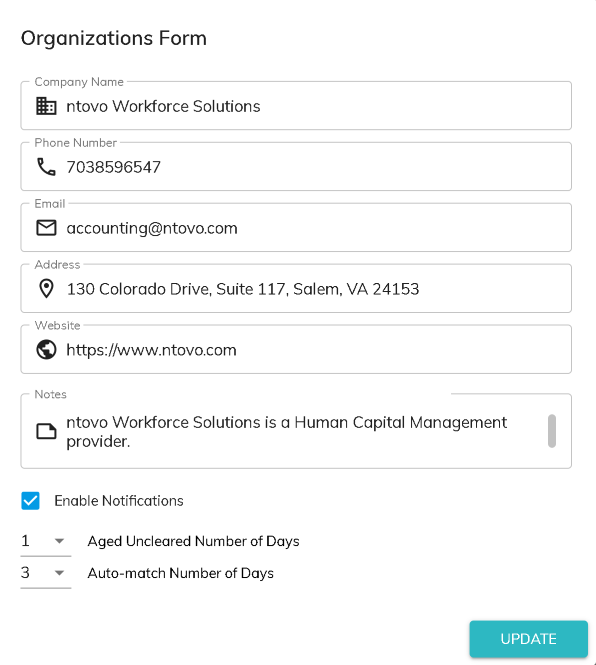
Enable Notifications
Notifications can be sent to users who have kanban cards that are past due. To turn on these notifications, the first step is to check the Enable Notifications box on the Organization. You will also need to enable notifications per user.
Click Update to save changes.
Aged Uncleared Number of Days
Finlee identifies ACH transactions that did not clear the bank on its transaction date. You can configure the number of days until you see the aged uncleared transaction as a subledger reconcilation item here. (Aged Uncleared Subledger Item)
Auto-match Number of Days
When a bank file is imported, the auto-match routine is started to match the bank transactions to existing ledger transactions. If an exact match isn't found in the first two passes through the data, in the third pass Finlee looks for a match based on bank account, company ID, amount, and date plus or minus the number of days specified here. (Auto-Matching Rules)
Internal Ledgers
Customers can be tagged as Internal to indicate that the transactions posted to these customers are not specific to a customer. When a customer is tagged as Internal, that customer will not be included in the calculation of Subledger Reconciliation items.
© RAKE Digital Company, 2026 • Updated: 09/20/23
Comment or report problem with topic