
 Add Bank Account
Add Bank Account
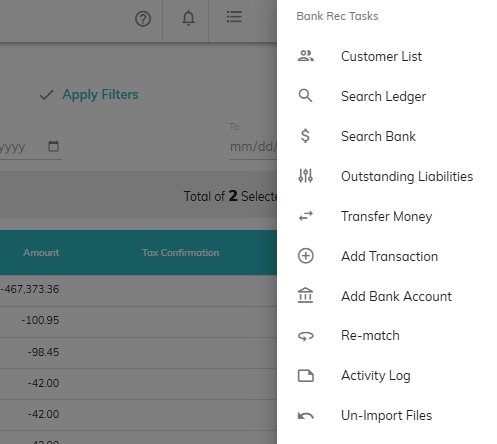
If you would like to add a new Bank Account to Finlee, click on Bank Reconciliation Tasks and choose Add Bank Account.
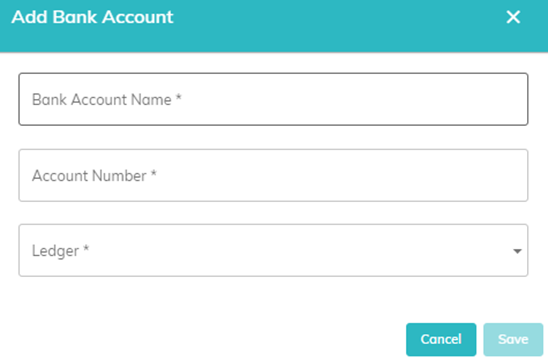
Fill in the applicable field and click Save.
- Bank Account Name: Populate Name of bank account as you would like it displayed in Finlee.
- Account Number: Enter entire bank account number, including leading zeros (if any). Account Numbers entered will be encrypted.
- Ledger: Select the appropriate corresponding ledger for the new bank account.
If you need a bank account removed, please contact support.
© RAKE Digital Company, 2026 • Updated: 10/15/25
Comment or report problem with topic