
 Reports
 Reports
Reports
The Reports module contains reports related to funds that have collected and paid on behalf of customers. These reports provide valuable information about the state of your client funds accounts and help you ensure that you are holding the right of amount of funds for every client every day.
Ledger Reports
Bank Reports
Saving Customized Reports
If you would like to customize any of the Ledger or Bank reports and save the custom groups, filters, and columns to run later, you can use the Save Customization button on those reports.
- Go to Reports and click on the report you would like to customize.
- Customize the report via the Customize panel (see individual report instructions for details about customize options).
- Click Run Report.
- Click Save Customization.
- Enter a Custom Report Name and Report Description.
The report will be saved to the Custom Reports tab, which is available from the main Reports screen. From there, you can edit the report name and description or delete the custom report.

Exporting Reports
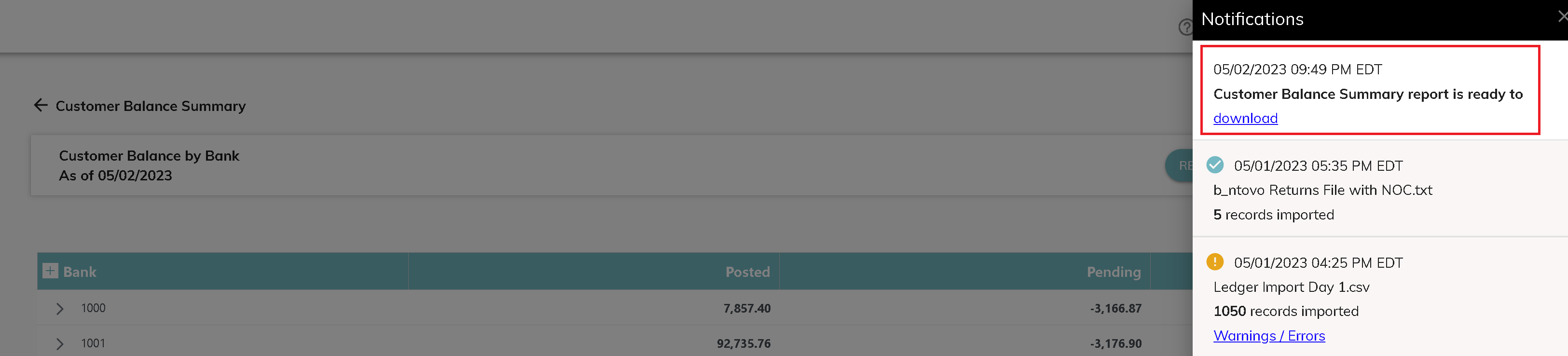
Clicking on the Export dropdown on the Ledger and Bank reports will give you the available download options. Click on the option you would like to download. When the report is available, you will receive a notification. To download the report, click the Notification bell and click download to download the report.
© RAKE Digital Company, 2026 • Updated: 05/02/23
Comment or report problem with topic