
 Archiving Cards
Archiving Cards
How to Archive Kanban Cards
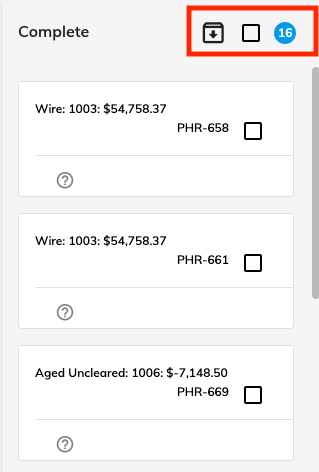
You may notice it takes longer for the kanban screen to load if there are a significant number of cards on kanban board. In order to speed up the screen load time, you can archive the items in the Complete column. Check the box and click the down arrow to archive all of the cards in the Complete column. You can still search Archived cards if you need to review information in an archived card.
Searching Archived Cards
To search for a previously archived card, choose the Search Archive check box. Once selected, the search box to the left will only search the archives.

© RAKE Digital Company, 2026 • Updated: 03/19/24
Comment or report problem with topic